
Goal Task Tracking
MYNIFEST®
Define your goal. Keep your tasks moving toward The Achieved.
Free to use. Create a free account and confirm your email to get started.
Works in your browser. Install it like an app on your phone or computer.
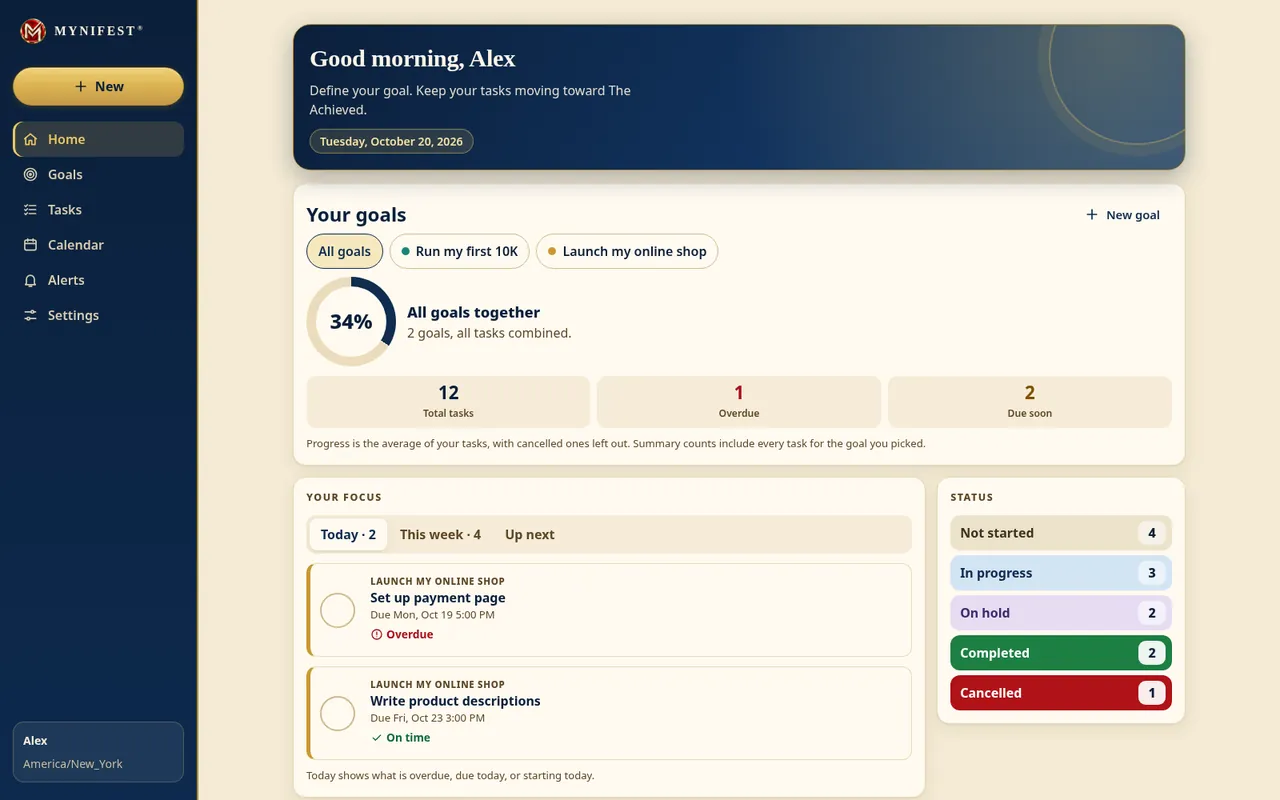

How it works
Three simple steps
-
Define your goal
Say what you want, and what “achieved” will look like when you get there.
-
Break it into tasks
Turn the goal into tasks small enough to finish, one at a time.
-
Keep moving toward The Achieved
See what is next and what is moving, and keep going until you arrive.
What you get
Made to keep you moving
-
Set a goal
Name what “achieved” looks like for you, in your own words, so you always know where you are headed.
-
Break it into tasks
Turn the goal into tasks you can finish, so a big goal never feels too big to start.
-
See what is next
Know what to do next and what is already moving, so you spend your time doing, not hunting.
-
Install it like an app
Put it on your phone or computer and open it from its own icon, just like any other app.
-
Free to use
MYNIFEST is free to use. You only need to create a free account and confirm your email to get started.
Install it
Keep it close, like an app
MYNIFEST runs in your browser, and you can install it so it opens from its own icon on your phone or computer. There is nothing to download from a store.
- On an iPhone or iPadRequires iOS 16.4 or later.1. Open mynifest.app in Safari.2. Tap the Share button, then choose Add to Home Screen.3. Open MYNIFEST from your Home Screen and sign in.4. In Settings › Reminders, turn on “Notify me on this device” and allow notifications.Reminders will now arrive on your phone, even when the app is closed.
- On an Android phoneOpen it in Chrome, open the menu, then choose Install app or Add to Home screen.In Settings › Reminders, turn on “Notify me on this device” to get reminders as notifications.
- On a computerIn Chrome or Edge, click the install icon at the end of the address bar, or choose Install from the browser menu. Firefox on a computer cannot install it, but MYNIFEST still works in the browser.In Settings › Reminders, turn on “Notify me on this device” to get reminders as notifications.
The steps can look a little different from one browser to the next.

Ready to move toward The Achieved?
Free to use. Create a free account and confirm your email to get started.
The Shop
Wear The Achieved.
Black and navy tees for men and women, carrying the gold Mynifest® mark and five words worth living by: True in Kind. The Achieved.

